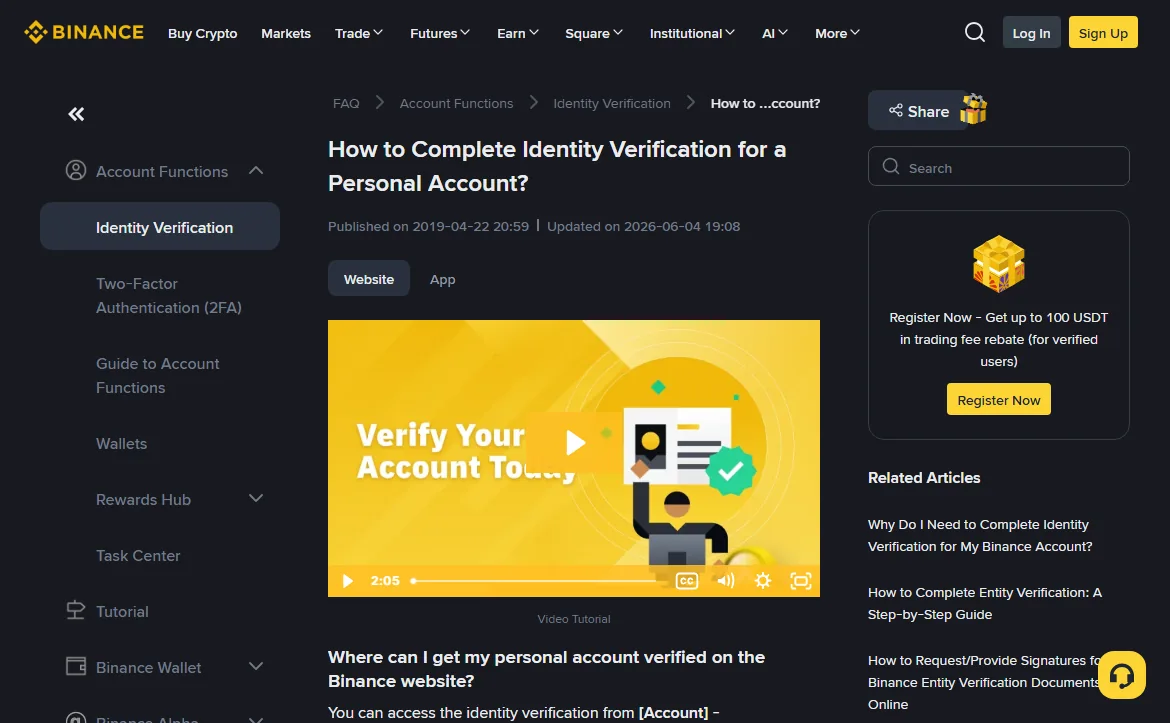
Yes, they are allowed to differ. The first screen of Binance identity verification asks for three separate things: Residence, Document Issuing Country/Region and Document Type. That is step 2 of the help centre article "How to Complete Identity Verification for a Personal Account?", and nothing on the form requires the first two to match.
What does have to match is two separate pairs. The issuing country has to match the document in your hand. The residence has to match the proof of address you can produce later. If each pair holds up on its own, living in one country with an ID from another is not a reason for rejection.
Before you fill in the form
- Residence, issuing country, document type: what each one is checked against
- Four common mismatches and how to fill each one
- Binance proof of address: the lines people miss
- When Binance actually asks for proof of address
- How to change your country of residence after you move
- Why a residence you do not live in fails later
Residence, issuing country, document type: what each one is checked against
Document Issuing Country/Region is read off the document. For a passport, that is the issuing state on the data page. For a national ID card, it is whoever issued the card. Your choice here decides which document types appear next. The help centre says most users can verify with a passport, national ID card or driver's licence, but the list you see depends on the issuing country you picked.
Document Type is the one you will photograph. After the upload comes a liveness check, then a screen asking you to confirm your personal details. The official wording at that step deserves attention: once confirmed, the information cannot be changed. Your name, date of birth and document number are taken from the document, so read them character by character before you press [Continue].
Residence means where you live now. It has nothing to do with your ID. It is checked against proof of address, and the proof of address article is specific: the home address on the document must be the same as the residential address you entered, and the name on it must be the same as on the ID you submitted. So residence is tied to the address document, and the address document is tied back to the ID through your name.
Nationality is not a separate dropdown here; it comes from your document. It still matters on its own, though. Group (i) of the prohibited countries list, the United States, covers anyone who is "a citizen of" it, wherever they live.
Four common mismatches and how to fill each one
Each of these assumes you fill the form truthfully. The point is only to show what every field lines up with.
Suppose you live abroad on a work or student visa
Residence is the country you live in. Issuing country is the country on your passport. Your proof of address comes from where you live now: a bank statement, a utility bill, an internet or TV package bill. Students get a few extra options that the official list names outright: a rental agreement from university housing, or a letter from the university confirming that you attend and where you live.
Watch the spelling of your name. A local bank may have opened your account under a slightly different form of your name than your passport shows: a missing middle name, initials, a different order. The address document has to carry the same name as the ID, so compare them letter by letter before you upload.
Suppose you hold two nationalities
You verify with one document, and that document sets the issuing country. Residence is still where you live. The second passport does not appear anywhere on the form, but it still counts: if either nationality is American, the US group of the prohibited list covers you regardless of which passport you upload.
Suppose your national ID card shows an old address
Some national ID cards print a home address. The proof of address article accepts a government-issued national ID card or permanent residence permit that shows your address, with one condition: it cannot be the same document you used for identity verification. If you verified with that card, it cannot double as your address proof. If the address on it is out of date, it is no use either way, because the address has to match the one you entered.
Suppose you moved to another country after signing up
You do not redo the sign-up form. You use [Edit Address], covered further down. Expect two things: you may have to go through identity verification again, and the products available to you may change.
Binance proof of address: the lines people miss
The full list is in the help centre article "How to Verify My Residential Address on Binance? (Applicable to All Users)". When opened in October 2026, the English page showed an update date of 2026-04-20. Below are the lines that matter most when your residence and your ID point to different places; Binance revises the list and the time limits, so go by what that page shows when you upload.
- How recent. For countries not named separately, the limit is 6 months (up to a year if the document itself says so). France and the Binance Japan and Binance Kazakhstan platforms are also on 6 months. Argentina, Australia, Dubai and several others are on 3 months. India is the strictest at 2 months.
- Five items must be on it: your name, your home address, the date of issue, the issuing authority, and something that identifies that authority, such as a logo, contact details or a website.
- Not accepted: payslips and employment contracts, standalone mobile phone bills (except in some jurisdictions), anything sent to a PO box, mail forwarding or virtual office addresses, and photocopies.
- Telecom bills count only as packages. The FAQ answers this directly: a mobile, internet and TV package bill is fine; a mobile-only bill is not.
- Format: PDF, JPG, JPEG or PNG. PDF is preferred. Scans and screenshots must be in colour, show the first page and all four corners, and be taken in portrait orientation, not cropped or edited.
An address is treated as invalid or incomplete if it is missing the flat or house number, the street or the zip code. Type it the way it appears on your bill rather than shortening it.
When Binance actually asks for proof of address
Not everyone is asked at sign-up. Every new user must complete the basic level, which the help centre calls [Verified]: document plus liveness check. Address proof belongs to the level above it. The help centre says that, depending on your region or the payment channel you use, you may need to complete a higher verification level. The button is [Get Verified Plus], under [Account] and then [Identification].
That is why the residence field rarely causes trouble on day one. The first request for an address document often arrives when you try to open a fiat channel or raise a limit. If your stated residence and the papers you can produce do not match at that point, that step stops, usually after money is already in the account. Review takes 1 to 2 working days according to the proof of address page, and you are notified automatically, so there is no need to chase support.
How to change your country of residence after you move
The help centre has a separate article, "How to Update My Residential Address on Binance?". On the website the path is: [Account], then [Identification], scroll down to [Edit Address], select the new country, fill in the address and upload the proof.
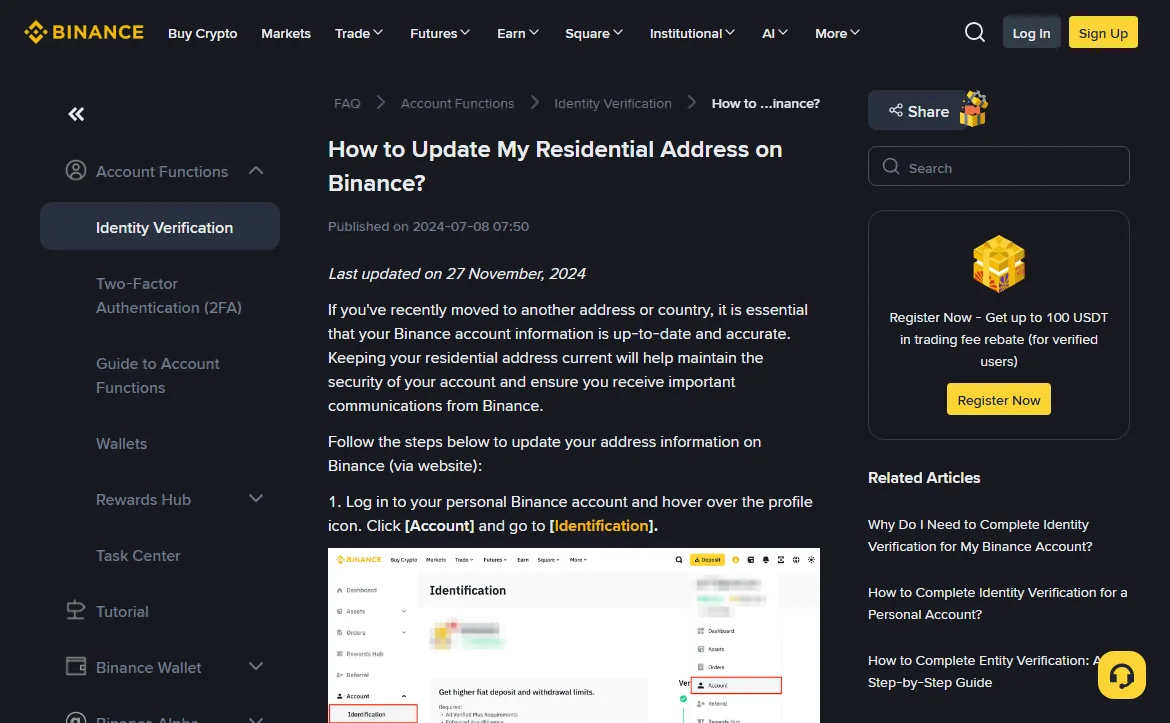
The three questions at the bottom of that page tell you more than the steps do:
- Why reset KYC just to change an address? Because after a move the account has to comply with the rules of the new country, which may mean verifying again.
- Will the same products be available? Not necessarily. You may lose some and gain others; support can tell you which.
- Can I change my residence to the UK? Not in the short term, the page says, because of changes linked to the UK financial promotions regime.
A change of nationality takes a different route. The identity verification FAQ lists seven accepted reasons for updating your identity information, and "the nationality has changed" is one of them, alongside an expired document and a changed name or ID number. Those go through the identity update option on the [Identification] page, not through [Edit Address].
Why a residence you do not live in fails later
Some forum posts suggest picking a residence with fewer restrictions. The rules above already show why that falls apart. Your residence has to match a proof of address issued in your name, showing your home address, dated within the last few months. For a country you do not live in, you will not have one. Without it, the higher verification level fails, and that request tends to arrive after you have deposited.
The terms say the same thing in legal language. Section 2.1 makes location and residence part of the eligibility criteria, and section 27(a) requires every document and piece of information you submit to be true, accurate and complete. The prohibited countries article quotes both. Whether the service is legal where you actually live is a question of local law, not of which dropdown you pick.
If your residence and your ID come from the same place, most of this does not apply; the single rule in choosing your country at sign-up is enough. If they differ, run both your ID and your address document through the verification document checklist before you submit. The full account-opening order is in the sign-up walkthrough.